
Integrations / HubSpot
CRMCoPilot for HubSpot
Send verified prospects into HubSpot from search results or every day on an Autopilot schedule — checked for deliverability and duplicates before they arrive.
Native integration · OAuth · Included on paid plans
What gets sent
A new record in your HubSpot account
Each lead you export or Autopilot delivers includes:
- First and last name
- Job title
- Company name and website domain
- Location (city, region, country)
- Verified work email
- Phone number, if you unlocked one
Before anything is sent
- Email verificationUndeliverable emails are skipped, and you aren't charged to unlock them.
- Duplicate checkCRMCoPilot looks for an existing record by email and company domain.
- Owner assignmentNew records go to a fixed owner or round-robin across your users.
What you configure
Set up in a few minutes
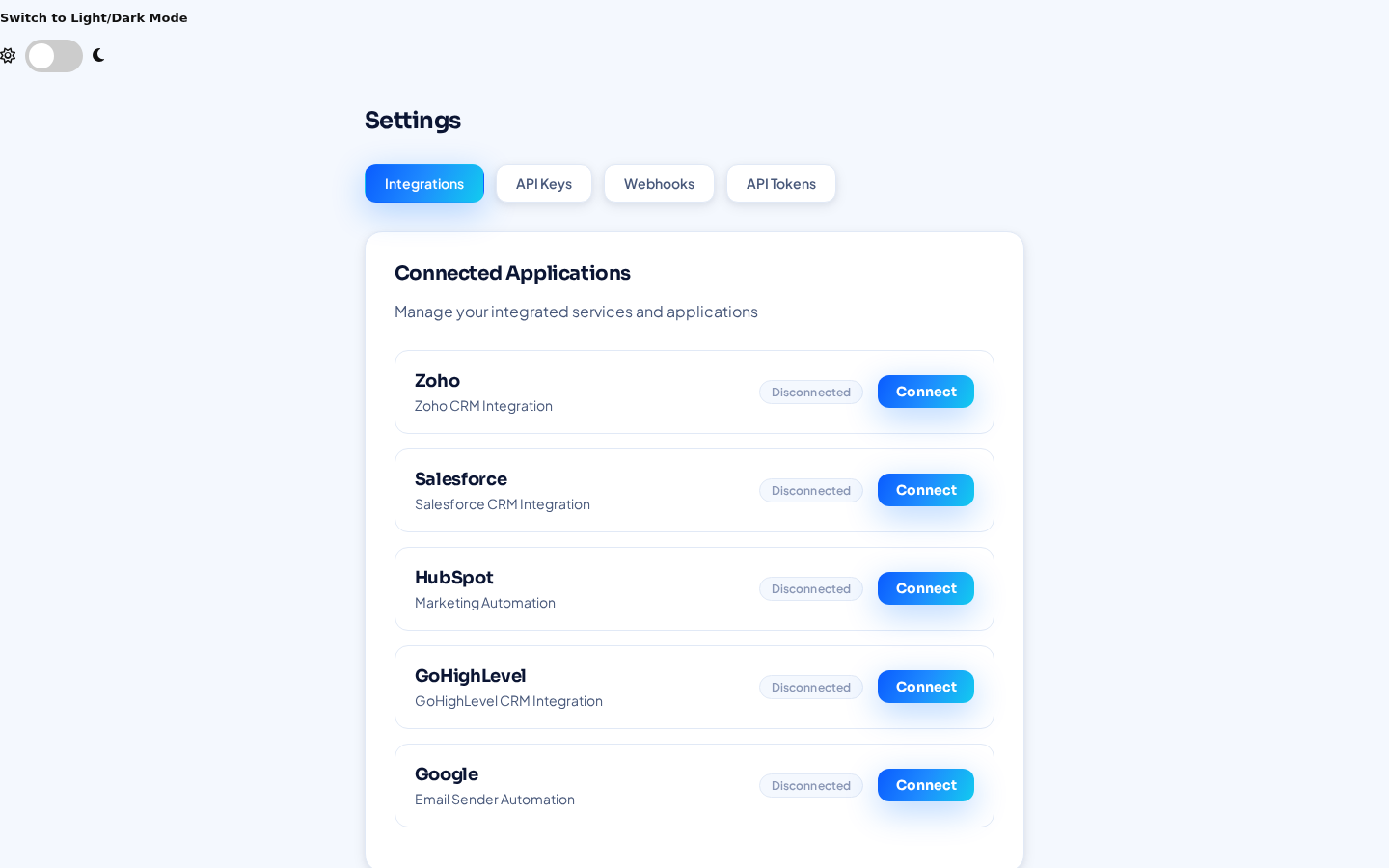
- Connect HubSpotIn CRMCoPilot, open Settings → Integrations, click Connect next to HubSpot and approve access.
- Send leadsSelect leads in your results and export them, or create an Autopilot agent with HubSpot as its Connected CRM.
- Set the schedule (Autopilot, paid plans)Pick days of operation, a start time and leads per day. Auto-verify is on by default. Autopilot is included in paid plans.
What to expect
Once it's running
- New records in HubSpotCreated with the fields listed above and assigned to the owner you chose.
- Works with your HubSpot setupYour workflows, lists and lead-status rules apply to the new records as they do to any other.
- A cleaner databaseUnverifiable emails and existing records are filtered out before they reach HubSpot.
What this integration doesn't do today
- Report which leads became customers or closed deals.
- Check other connected CRMs for an existing relationship before creating a record.
HubSpot questions
Do I need Zapier or Make?
No. HubSpot connects natively from Settings → Integrations using HubSpot's own sign-in.
Will it create duplicates?
CRMCoPilot checks for an existing record by email and company domain before exporting. HubSpot also de-duplicates contacts by email.
Can I use HubSpot alongside another CRM?
Yes. Connect HubSpot together with GoHighLevel, Zoho CRM, Pipedrive or Salesforce, and pick the destination per search or Autopilot agent.
Send your first verified leads to HubSpot
Create a free account and run your first search, then connect HubSpot on any paid plan.