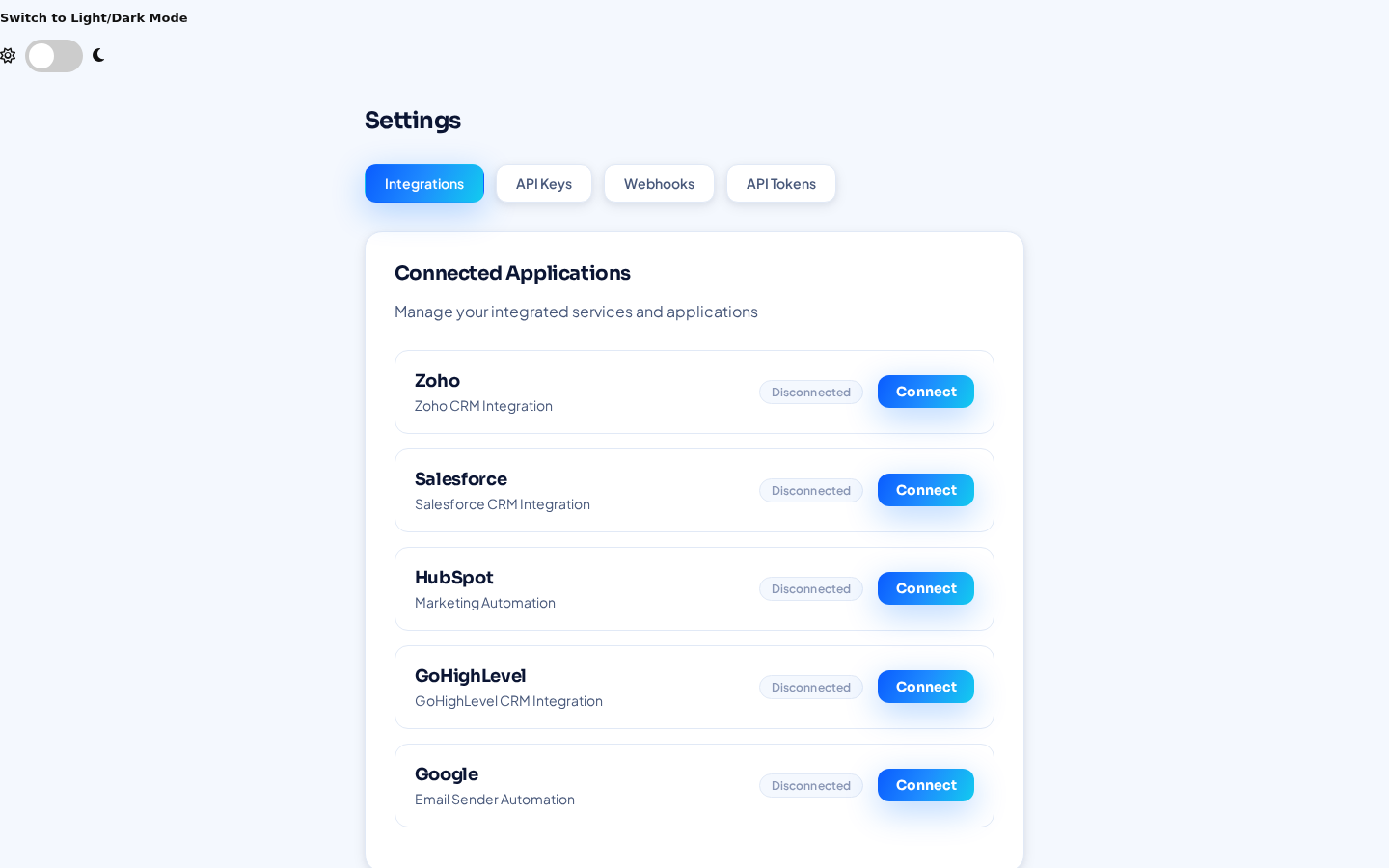
Integrations
Connect the CRMs you already use
CRMCoPilot connects natively to five CRMs. On any paid plan, connect one or several at once, then choose where each search or Autopilot agent sends its leads. On paid plans, webhooks send leads to anything else, including Zapier and Make.
GoHighLevel
Send verified leads to one GoHighLevel location, or several on Gold and up. Built for agencies managing several clients.
How it works →Zoho CRM
Deliver verified prospects into Zoho CRM on demand or on an Autopilot schedule.
How it works →Pipedrive
Keep your Pipedrive pipeline stocked with prospects that match your ideal customer.
How it works →HubSpot
Push selected leads or scheduled Autopilot deliveries into HubSpot.
How it works →Salesforce
Send verified leads into Salesforce from search results or Autopilot.
How it works →Zapier
Send selected leads to a Zap with Webhooks by Zapier, then on to the apps Zapier connects.
How it works →Webhooks
Send selected leads to any URL that accepts webhooks: Make, n8n or your own app.
How it works →CSV download
Download leads as CSV for any tool without a native connection.
Find once, send where it belongs
Running Salesforce for enterprise and GoHighLevel for an agency arm? Or a different CRM per client? CRMCoPilot sits above them as one prospecting layer.
Every integration is set up the same way
- Open Settings → IntegrationsIn the CRMCoPilot app.
- Click Connect next to your CRMSign in to the CRM and approve access (OAuth). No API keys to copy.
- Choose it as a destinationSelect it when exporting from results, or in an Autopilot agent's “Connected CRM” field.