Sending generic LinkedIn connection requests rarely works. AI tools, like CRMCoPilot, are changing this by automating tailored outreach that feels personal. Here’s what you need to know:
- Personalized requests are accepted more often than generic ones.
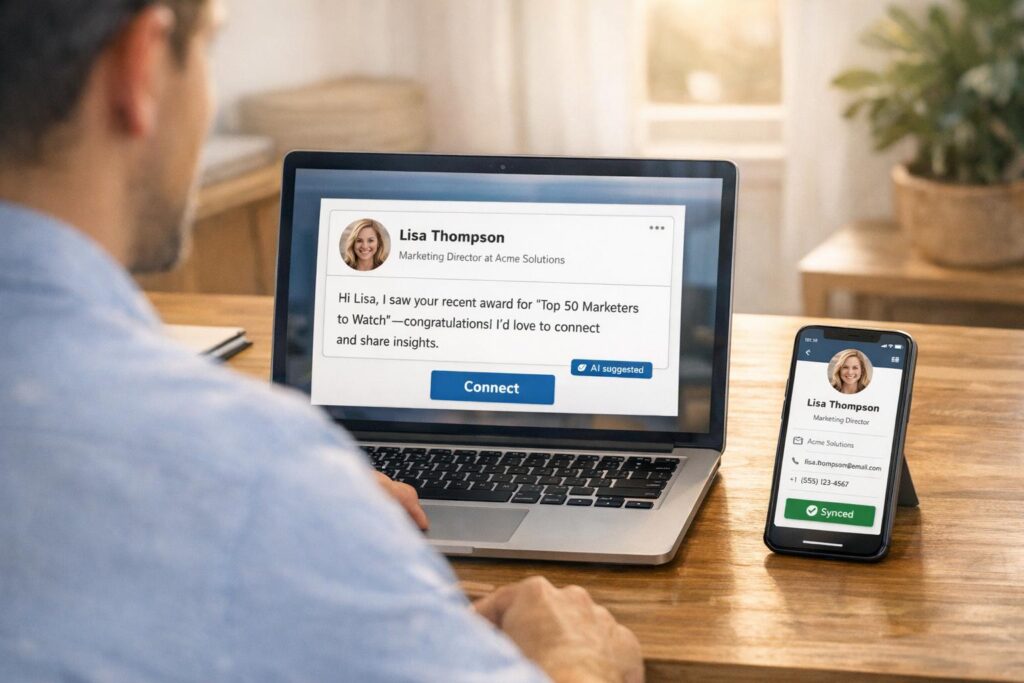
- AI analyzes LinkedIn profiles to identify details like job changes or shared connections, crafting messages quickly.
- CRMCoPilot finds and verifies prospects, runs LinkedIn campaigns through your own Meet Alfred account, and sends leads to your CRM.
AI doesn’t just save time – it ensures your messages are relevant, improving connection rates and building meaningful professional relationships.
How AI Increases LinkedIn Connection Acceptance Rates
Why Personalization Matters in Professional Networking
In a world of constant cold messages, generic connection requests often get ignored. Personalization, however, stands out. In fact, 78% of companies using social selling outperform those that don’t [3]. The secret? Tailored communication.
Acknowledging a recent article, shared connection, or achievement in your message creates a sense of reciprocity. It shows you’ve taken the time to understand the recipient, rather than lumping them into a mass outreach effort. This approach pays off – individualized InMails have response rates 15% higher than generic ones [3]. And when LinkedIn InMail messages stay under 400 words and remain relevant, they achieve a 22% higher response rate [3].
On the flip side, cookie-cutter templates that simply insert a name (e.g., "Hi {{First Name}}") come across as impersonal and often fall flat [3]. This is where AI steps in, helping users craft messages that feel authentic while scaling outreach efforts.
How AI Automates and Improves Personalization
The biggest challenge with personalized outreach is time. AI tools solve this by creating tailored, engaging messages in under 30 seconds [3]. They do this by analyzing massive amounts of data that would be impossible for a person to process at scale.
AI digs into LinkedIn profiles to identify intent signals like promotions, job changes, funding announcements, product launches, or hiring trends [5]. It also pulls insights from posts, comments, career milestones, shared connections, and endorsements[5]. This level of detail transforms basic personalization into hyper-personalization, referencing achievements, mutual connections, or even specific challenges that resonate with the recipient [3].
The process often follows a "human-in-the-loop" model, where AI drafts about 70% of a message based on data, leaving room for human review to fine-tune tone and accuracy [5]. This step is critical because many buyers can spot a message written by AI. By blending AI efficiency with human oversight, the outreach feels genuine. AI can even adjust the tone and style of a message to align with the recipient’s communication preferences, making it feel more like a personalized conversation than a mass email [3][5].
| Message Component | AI Advantage | Impact |
|---|---|---|
| Subject Line | Analyzes emotional tone | Boosts open rates |
| Opening Hook | Customizes based on profile insights | Increases response rates |
| Value Proposition | Tailors to industry-specific challenges | Enhances engagement |
| Call to Action | Tests and optimizes phrases via A/B testing | Drives higher conversions |
AI doesn’t just stop at crafting messages. It categorizes prospect behavior – like profile views or content interactions – and times outreach for when recipients are most active. The result? Outreach that feels personal and thoughtful, yet scales effortlessly.
Automate LinkedIn Connections – Hyper-personalized with AI!
Step-by-Step Guide: Creating AI-Personalized LinkedIn Requests
You don’t need to be a tech wizard to turn AI personalization into a practical tool. The five steps below show where a tool like CRMCoPilot fits, from finding prospects to getting them into your CRM. Here’s how to make AI-driven personalization work for you.
Step 1: Find Target Prospects with CRMCoPilot
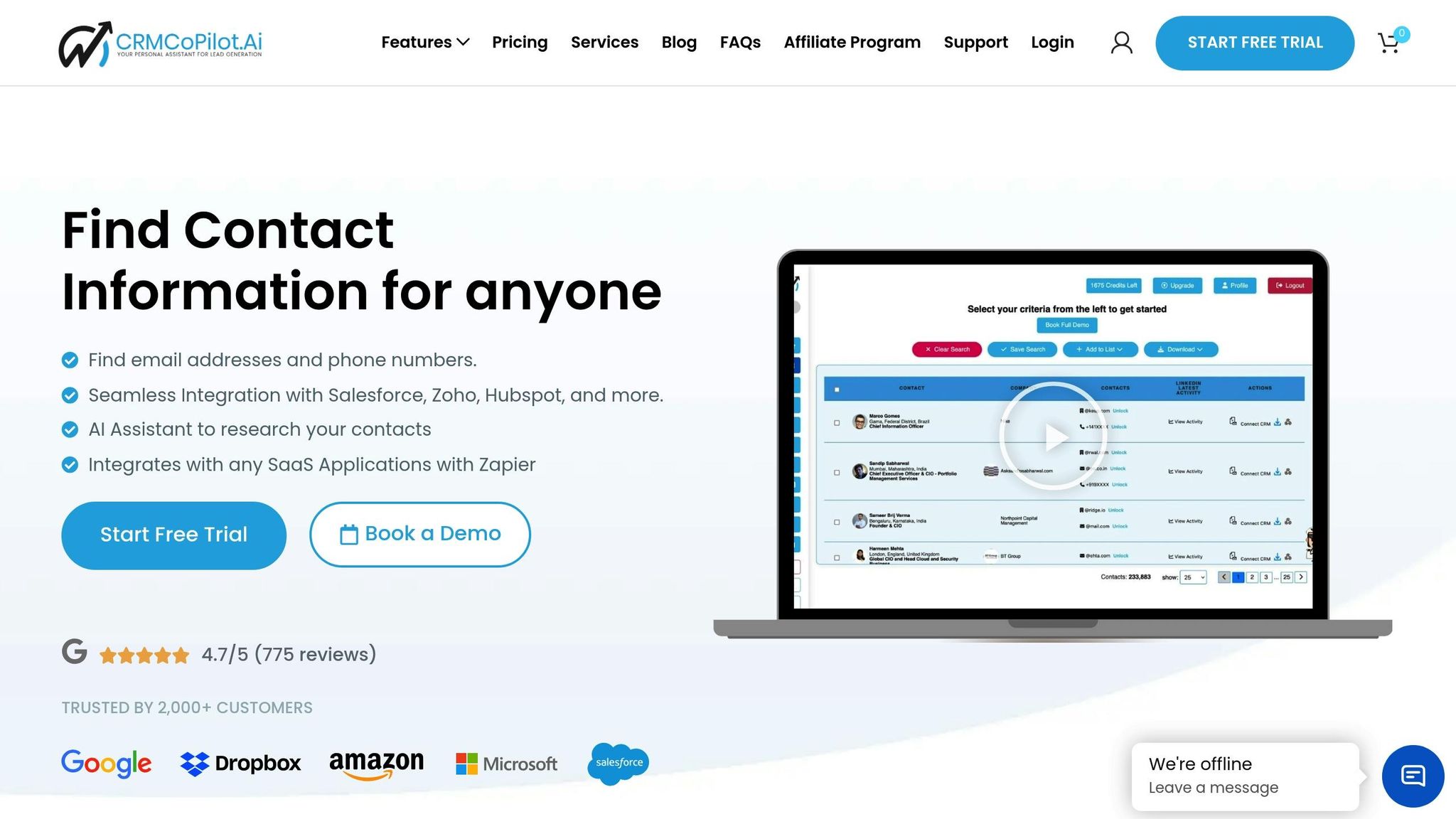
Start by identifying your ideal prospects in CRMCoPilot. Search its licensed company and contact database by job title, company, industry, location, company size, technology or keywords, or describe who you want in plain English with AI search.
To help you prioritize, fit scoring ranks results against your own products and services, so you can start with the prospects that match best.
Step 2: Collect Profile Data
Once you’ve identified your target prospects, review their public profile details, such as recent posts, career milestones, endorsements, shared connections, and achievements. This data is the foundation for crafting messages that feel personal and thoughtful.
Most deals take several follow-ups, so staying organized can make all the difference.
Pro tip: Avoid automating outreach on a brand-new LinkedIn account. Build your profile and connections manually first to reduce the risk of being flagged for spam.
Step 3: Verify and Analyze Data for Personalization
Before you write, check that the details you plan to mention are current. In CRMCoPilot, AI research drafts emails and video scripts with their sources listed, so you can confirm each fact before you use it.
Step 4: Create Custom Messages Using AI Workflows
With verified data ready, write personalized connection requests. A simple yet effective framework includes:
- Mentioning how you found the prospect
- Adding a personal detail to establish common ground
- Clearly stating why you’re connecting
- Signing off professionally
Let AI draft the message, then review it yourself before it goes out. End with a clear, low-pressure reason to connect.
Step 5: Automate Sending and Sync with Your CRM
CRMCoPilot runs LinkedIn campaigns through your own Meet Alfred account, and sends prospects into your CRM through native connections to HubSpot, Salesforce, Zoho CRM, Pipedrive and GoHighLevel. It checks for existing records by email and company domain before exporting.
sbb-itb-0ae5139
CRMCoPilot Pricing
CRMCoPilot has a free plan and paid plans that differ by seats, AI agents and monthly credits.
The Free plan includes 5 verified leads a week, with no credit card required.
See CRMCoPilot’s current plans and pricing.
Whatever tool you use, stay within LinkedIn’s invitation and messaging limits to keep your account in good standing, and ramp up slowly on a new account.
Next, we’ll explore strategies to ensure your AI-generated messages feel authentic and resonate with your audience.
Best Practices for AI-Generated Connection Requests
Keeping Automated Messages Personal and Genuine
AI can help draft messages, but giving them a personal touch is what makes them resonate. The best results come from combining AI’s research capabilities with a human review to ensure the message feels authentic and thoughtful [12].
A helpful framework for crafting these messages is the "Head, Heart, Hands, and Heels" method. Here’s how it works:
- Head: Start by introducing yourself and mentioning how you came across their profile.
- Heart: Add a personal detail, like referencing a recent post they shared or an event they attended.
- Hands: Clearly state your reason for reaching out or how you’d like to connect.
- Heels: Wrap up professionally and include your name.
Including specific details, such as a recent promotion, a shared connection, or a company milestone, can make a huge difference. Messages that reference these details are accepted more often than generic requests [12]. Keep your message concise – aim for 200–250 characters [12].
Lastly, make sure your profile is polished. Use a professional photo and highlight your value proposition clearly.
Common Mistakes to Avoid in AI Outreach
A common pitfall in AI-driven messaging is relying too heavily on templates without adding personalization. Simply inserting a name isn’t enough. In fact, 87% of LinkedIn connection requests don’t include any personalized message, which means generic AI-generated text often gets ignored [12]. To stand out, human oversight is key to ensure the message feels genuine.
Another major misstep is leading with a sales pitch in your first message. This approach can turn prospects away or even get you blocked. Instead, focus on offering value – acknowledge their work or share a relevant resource before making any requests.
Avoid sending messages indiscriminately to anyone who appears in your search results. This scattershot approach can harm your reputation and drastically lower response rates. Instead, refine your prospect list with tools like Boolean operators in Sales Navigator to ensure your outreach is targeted and relevant.
Timing and frequency also matter. Sending requests on weekends or late at night reduces visibility. For better results, aim to send messages on Tuesdays or Wednesdays between 9:00 AM and 4:00 PM. When following up, wait 3–4 days between messages, and double-check names and company details to avoid embarrassing mistakes[12].
Conclusion
AI-powered tools are changing LinkedIn networking by automating tasks that used to take up a staggering 64.8% of a sales professional’s day [13]. With the ability to process over 500 leads per hour [14], these tools are a huge time-saver.
The impact goes beyond just speed. These tools can free up more than 10 hours per week, making lead generation not only faster but also far more efficient than traditional manual methods [13][14].
CRMCoPilot helps with the steps around the message: finding prospects, checking their emails for deliverability, running LinkedIn campaigns through your Meet Alfred account, and sending leads to your CRM.
FAQs
How does AI create personalized LinkedIn connection requests?
AI helps craft personalized LinkedIn connection requests by analyzing key details from a recipient’s profile – like their job title, company, skills, or even recent activity such as posts or comments. It also identifies shared connections or mutual interests to create messages that feel relevant and thoughtfully tailored.
For instance, AI might reference a recent achievement highlighted on the recipient’s profile or bring up a shared professional interest. This kind of customization not only saves you time but also boosts your chances of starting meaningful conversations and building stronger connections.
How can I make AI-generated LinkedIn connection requests feel genuine?
To make your LinkedIn connection requests feel genuine, mix automation with a personal touch. Use AI to handle repetitive elements, like adding names or job titles, but always include something specific to the recipient. For example, reference a recent accomplishment, a mutual connection, or an industry topic they’re interested in.
Take a moment to explore their profile, check for company news, or identify shared interests. This helps you write a message that feels thoughtful and relevant. Keep it short and to the point, highlighting value right away, and steer clear of anything that sounds too generic. Finally, pay attention to how people respond and adjust your approach as needed to keep your outreach effective and engaging.
How does CRMCoPilot improve LinkedIn connection requests?
CRMCoPilot helps you find the right prospects and research them. Its AI drafts outreach with the sources it used, so you can pick a relevant detail for your note, and it runs LinkedIn campaigns through your own Meet Alfred account.
For follow-up, it runs email sequences that stop automatically when a prospect replies, and its outreach dashboard shows opens, replies and video views.
Reach the right people with a message worth reading
CRMCoPilot drafts research-backed emails and video scripts with sources, and sequences stop automatically when a prospect replies.