

Stop wasting time on lead entry. Let Autopilot do it for you.
If you’re spending hours copying leads into your CRM, assigning them manually, and checking for follow-ups — you’re doing work that Autopilot can handle for you.
CRM Copilot’s Autopilot feature pulls fresh leads based on criteria you define, adds them to your CRM, and assigns ownership — every day, automatically.
In this guide, we’ll show you exactly how to enable Autopilot in minutes, so you can focus on what matters: closing deals.
What Autopilot Does
-
Automatically pulls leads based on criteria you define
-
Assigns those leads directly to your connected CRM (like Zoho or Salesforce)
-
Runs daily based on your schedule
-
Saves you hours of manual entry every week
Step-by-Step Guide
Step 1: Log In
Go to https://production.crmcopilot.ai and log in to your account.
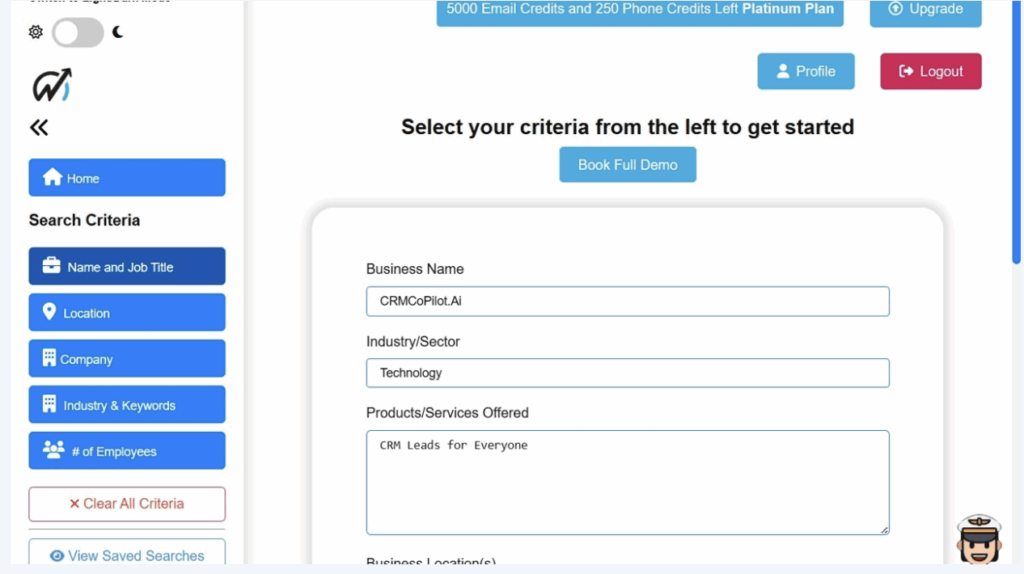
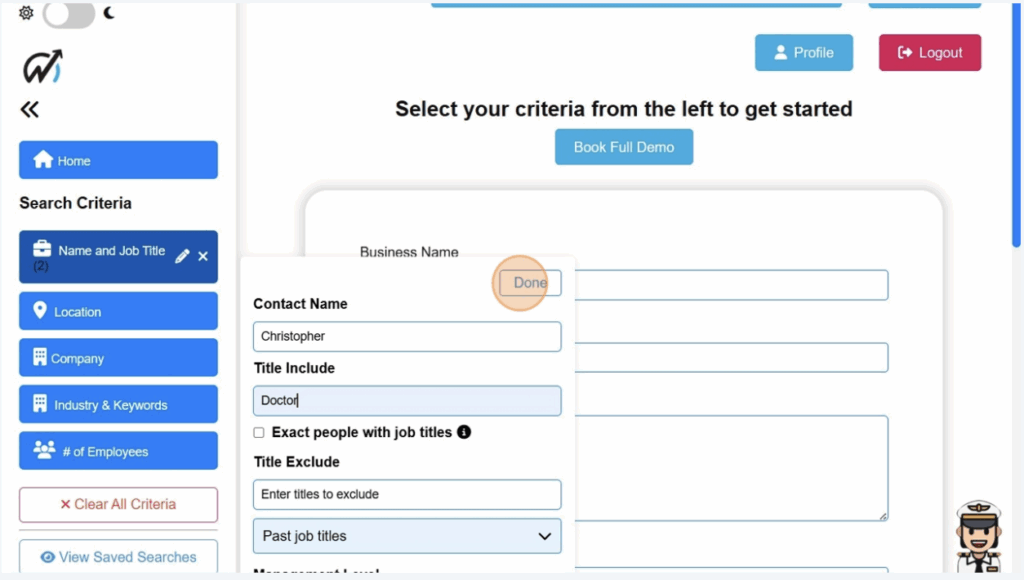
Step 2: Add Search Criteria
Choose filters like Contact Name, Title, Location, etc., and click “Done.”
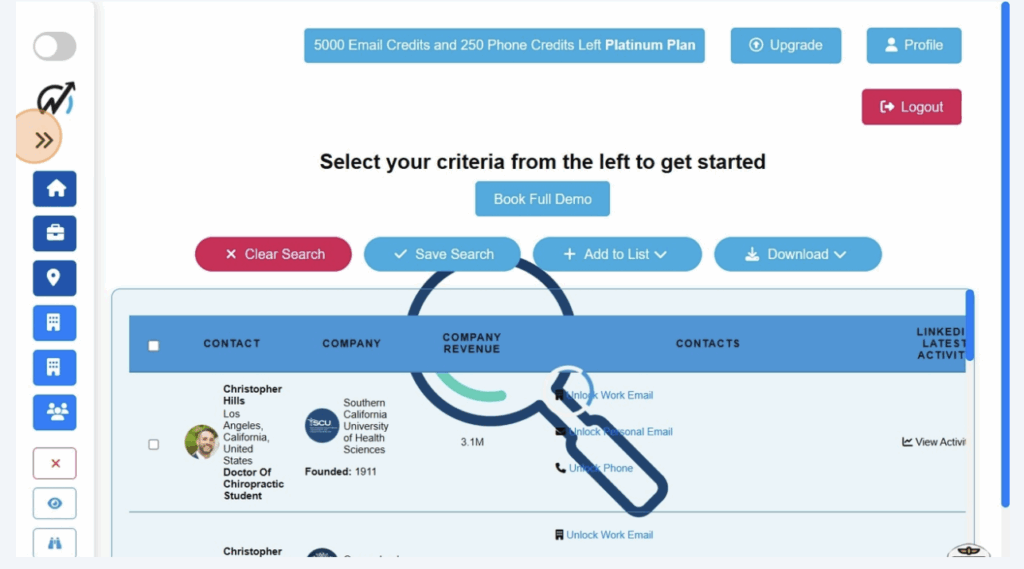
Step 3: Let the Search Run
CRM Copilot will search the lead database based on your filters.
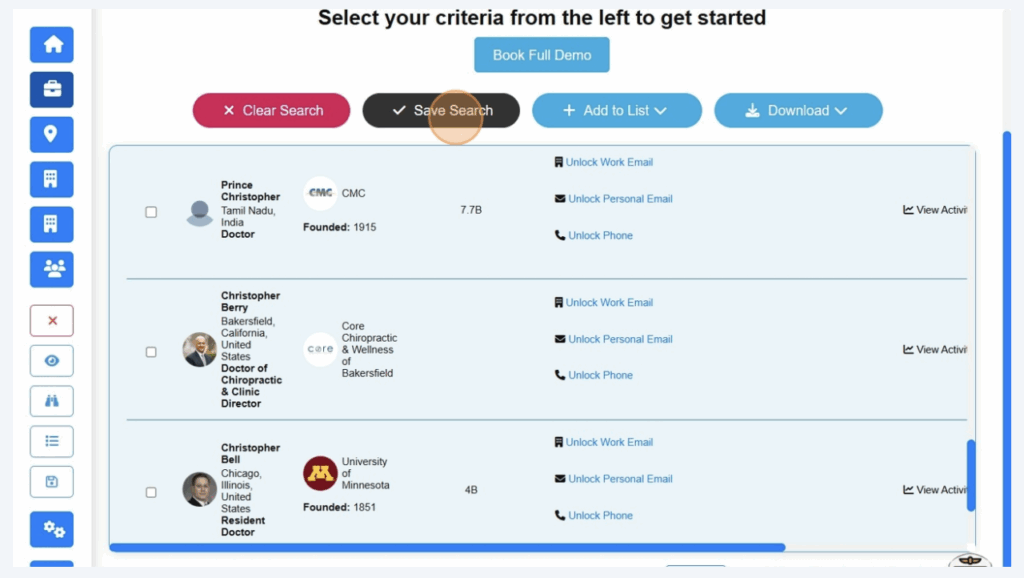
Step 4: Save the Search
Click “Save Search”
Step 5: Name Your Search
Give it a recognizable name and click “Save Search” again.
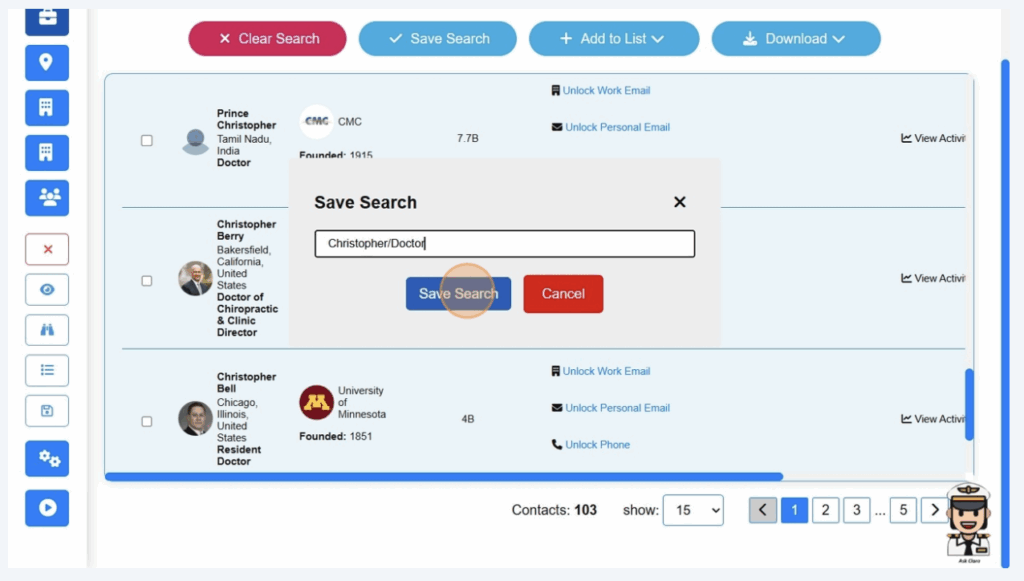
Step 6: View Saved Searches
From the left sidebar, click View Saved Searches.
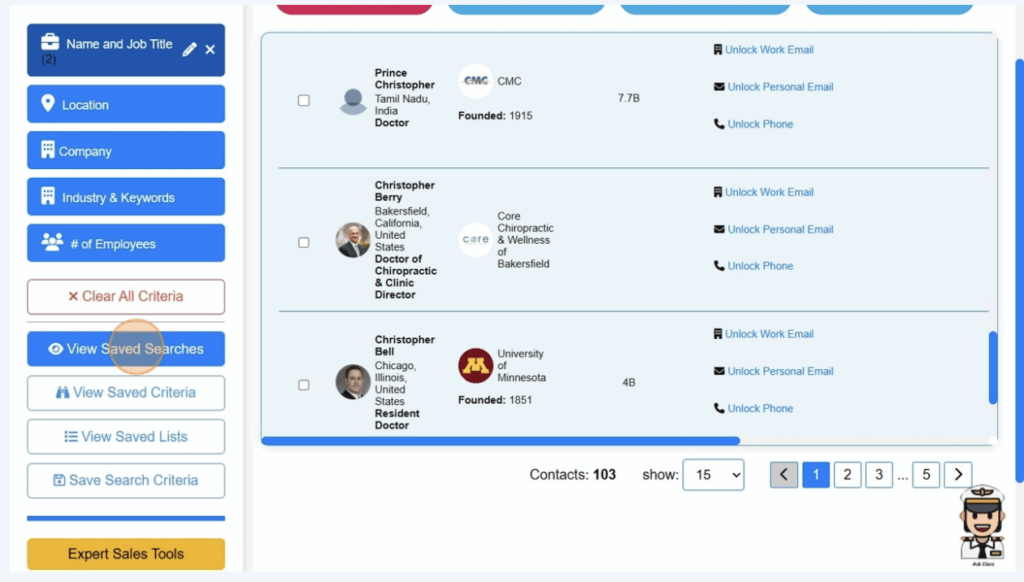
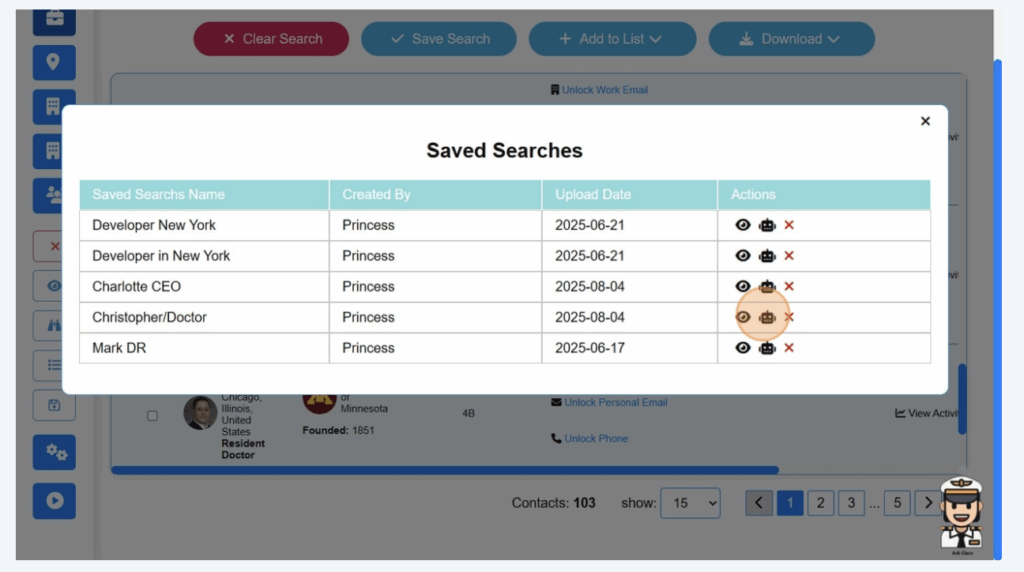
Step 7: Enable Autopilot
Click the Autopilot icon beside the saved search name.
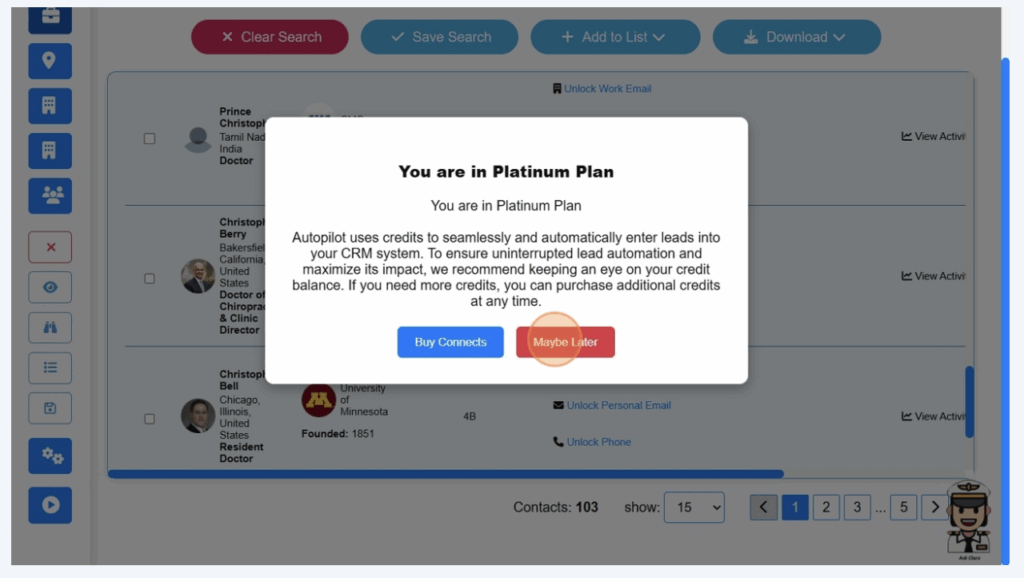
Step 8: Click “Maybe Later” (if prompted about your plan)
Step 9–11: Configure Autopilot
This is where the magic happens — you’re telling CRM Copilot when and how many leads you want it to automatically pull every day.
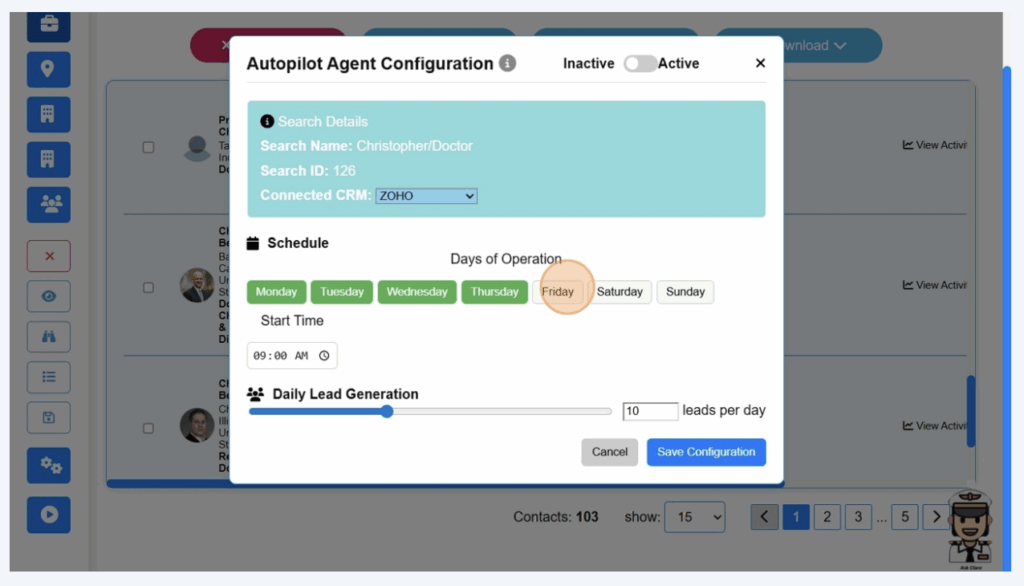
🗓️ Choose Your Days of Operation
Pick which days of the week Autopilot should run (e.g., Monday through Friday).
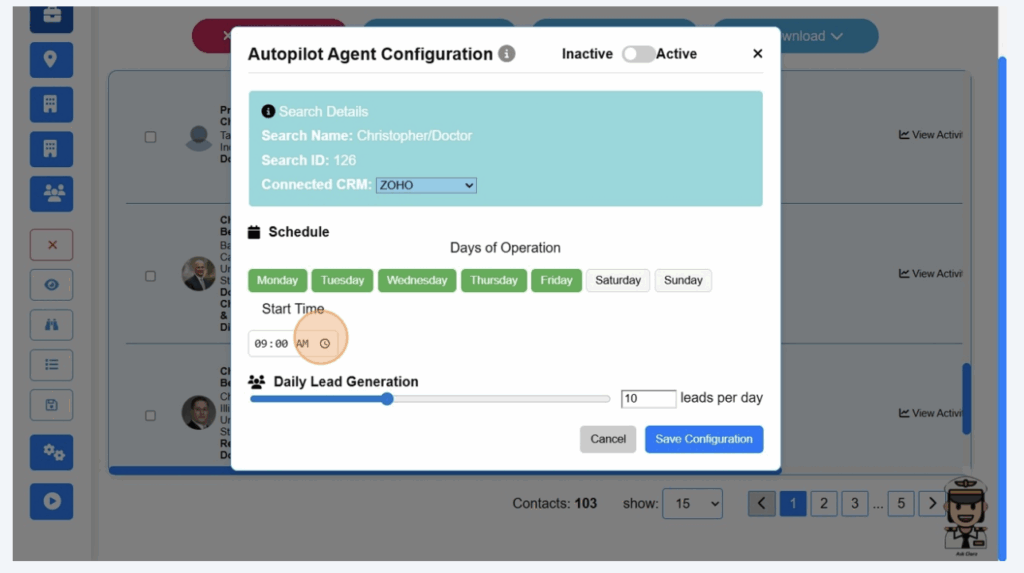
⏰ Pick Your Start Time
This is the time Autopilot will begin pulling leads each day.
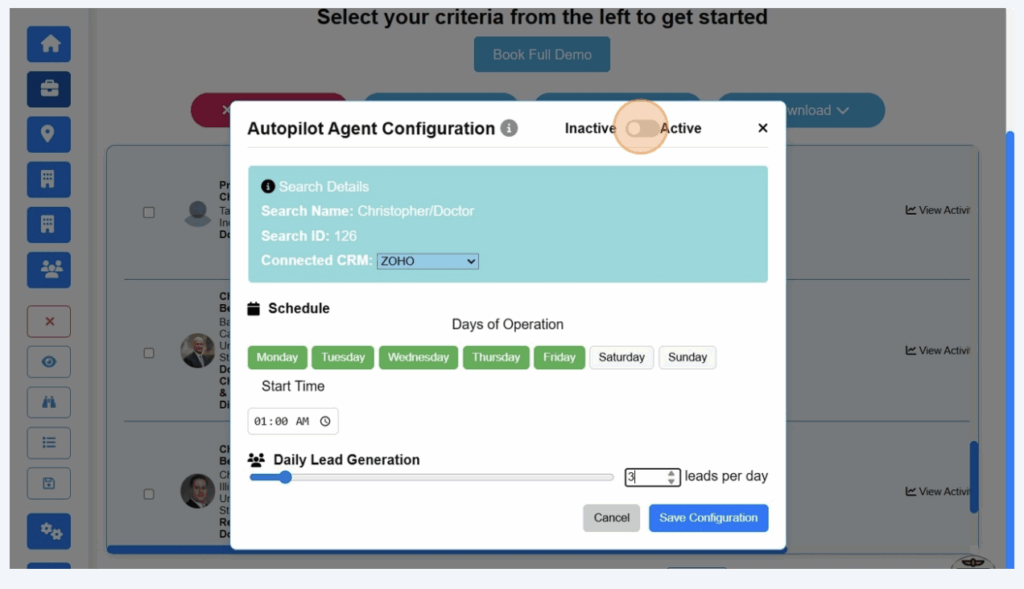
🎯 Set Daily Lead Volume + Enable It
Decide how many leads you want per day (e.g., 5, 10, 20).
Then toggle the setting to “Active” to enable Autopilot.
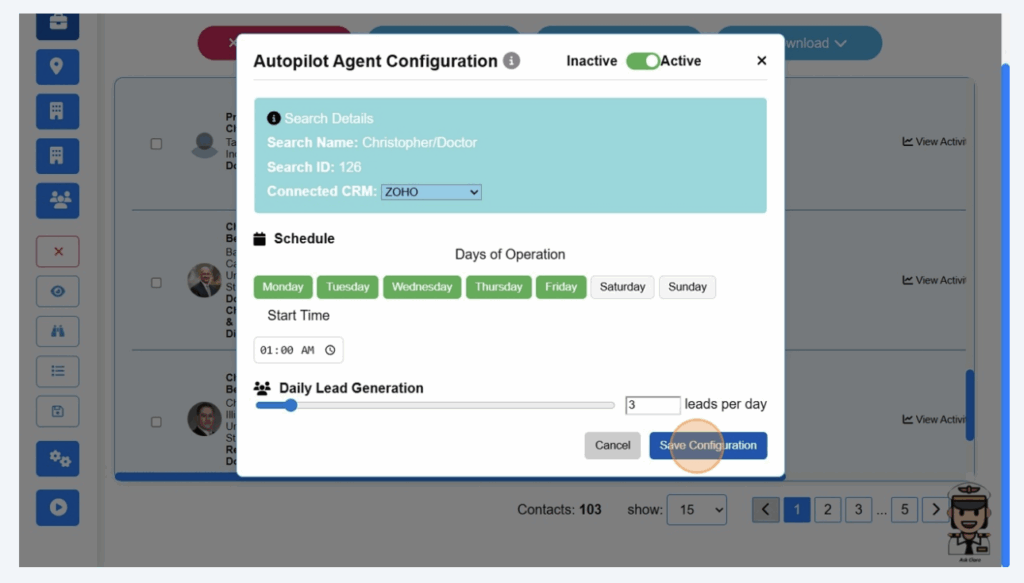
Step 12: Save It
Click Save Configuration — and Autopilot is live!
That’s It — You’re on Autopilot Now
No more copy-pasting, no more lead delays, no more manual CRM entry.
With Autopilot running in the background, your sales pipeline gets new leads daily — while you focus on actually closing them.
Take Action Now
👉 Already using CRM Copilot?
Log in and activate Autopilot in under 5 minutes:
🔗 production.crmcopilot.ai
👉 New here?
Start your free trial to experience Autopilot for yourself — no setup headaches, no delays.
Want to Help Others Automate and Earn?
💼 If you know teams who need this tool, refer them and earn 30% commission through the CRM Copilot Affiliate Program.
It’s free to join — and now you know exactly how Autopilot works.
Final Thought
Set it once. Leads flow in every day.
That’s the power of Autopilot.
Go enable it now.