

Managing consent in CRM systems isn’t just about compliance – it’s about building trust and protecting your business. Here’s what you need to know:
- Why it matters: Consent management ensures you meet privacy laws like GDPR, CCPA, and TCPA. Non-compliance can lead to fines as high as 4% of global revenue or $50,120 per violation.
- Key updates: Recent regulations require explicit consent (no pre-checked boxes), longer record retention (five years), and clear naming of businesses in consent forms.
- How to do it right:
- Use clear, affirmative consent requests (e.g., unchecked boxes, timestamps, and full disclosure text).
- Store detailed, tamper-proof records of consent actions.
- Automate updates and sync data across all platforms to prevent errors.
- Benefits: Proper consent management reduces complaints, avoids fines, and strengthens customer relationships. Studies show 75% of consumers avoid brands they don’t trust with personal data.
Bottom line: Effective consent management isn’t optional. It’s a business necessity to stay compliant, protect your reputation, and keep customers loyal.
Maturing your GDPR compliance program: Consent management
sbb-itb-0ae5139
Why Consent Management Matters in CRM Systems
Building on the compliance challenges discussed earlier, it’s clear that effective consent management is essential for CRM success. Consent management lies at the crossroads of legal compliance, data quality, and customer trust. When done right, it goes beyond ticking regulatory boxes – it becomes the backbone of stronger customer relationships and more impactful marketing strategies. Consider this: 75% of consumers avoid buying from companies they don’t trust with their personal data [9]. Poor consent practices don’t just hurt compliance – they hurt revenue. On the flip side, when customers know how their data is being used and feel in control, they’re more likely to trust and stay loyal to your brand [1]. In a world where data protection is a priority, trust becomes a competitive edge [5].
The operational advantages are just as compelling. Explicit opt-in consent provides high-quality zero-party data – information willingly shared by customers. This data is far more precise and valuable for personalization compared to information gathered passively [9]. Proper consent management also reduces time spent handling complaints, unsubscribe requests, or regulatory investigations [1].
What Consent Means and Why It’s Required
In CRM systems, consent refers to the freely given, specific, informed, and unambiguous permission from a customer to collect and use their personal data [9]. This process involves three main players:
- Data Subject: The individual whose data is being collected.
- Data Controller: Your company, which decides how the data will be used.
- Data Processor: The CRM provider acting on your behalf [1].
To be valid, consent must be an affirmative action, such as clicking a checkbox or signing a document. Pre-checked boxes no longer meet the standard under modern regulations [1]. Consent must also be granular, meaning customers need to give separate permissions for different purposes – like one for email marketing, another for data sharing, and another for tracking behavior [9]. Silence or inactivity cannot be interpreted as consent. As Tilman Harmeling from Usercentrics puts it:
"Consent must be gathered, documented, and managed in specific ways to comply with regulations, guidelines, and the requirements of business partners companies rely on" [9].
These principles form the basis for legally sound CRM practices, which must align with privacy laws.
Privacy Laws That Govern Consent Practices
Several privacy laws set the rules for how consent is obtained and managed, and understanding them is key to staying compliant.
In the European Union, the GDPR applies to any business handling data from EU residents. It requires opt-in consent for most data collection activities, with severe penalties for violations – fines can reach up to 4% of annual global revenue or €20 million, whichever is higher [5].
In the United States, the CCPA (California Consumer Privacy Act) emphasizes opt-out rights but still requires explicit consent for sensitive data [9]. The TCPA (Telephone Consumer Protection Act) and FCC regulations govern how businesses can contact individuals via phone or text. Recent updates have introduced stricter rules, such as requiring prior express written consent for calls using AI-generated voices [4].
A major challenge here is that legal responsibility falls on the company making the contact, not the lead generator [2]. Buying leads from third parties won’t shield you from liability if their consent documentation is flawed. This makes it crucial to have robust systems in place to verify, document, and manage consent directly within your CRM. Scattered spreadsheets or buried email threads won’t cut it when regulatory scrutiny comes knocking.
Key Elements of CRM Consent Management
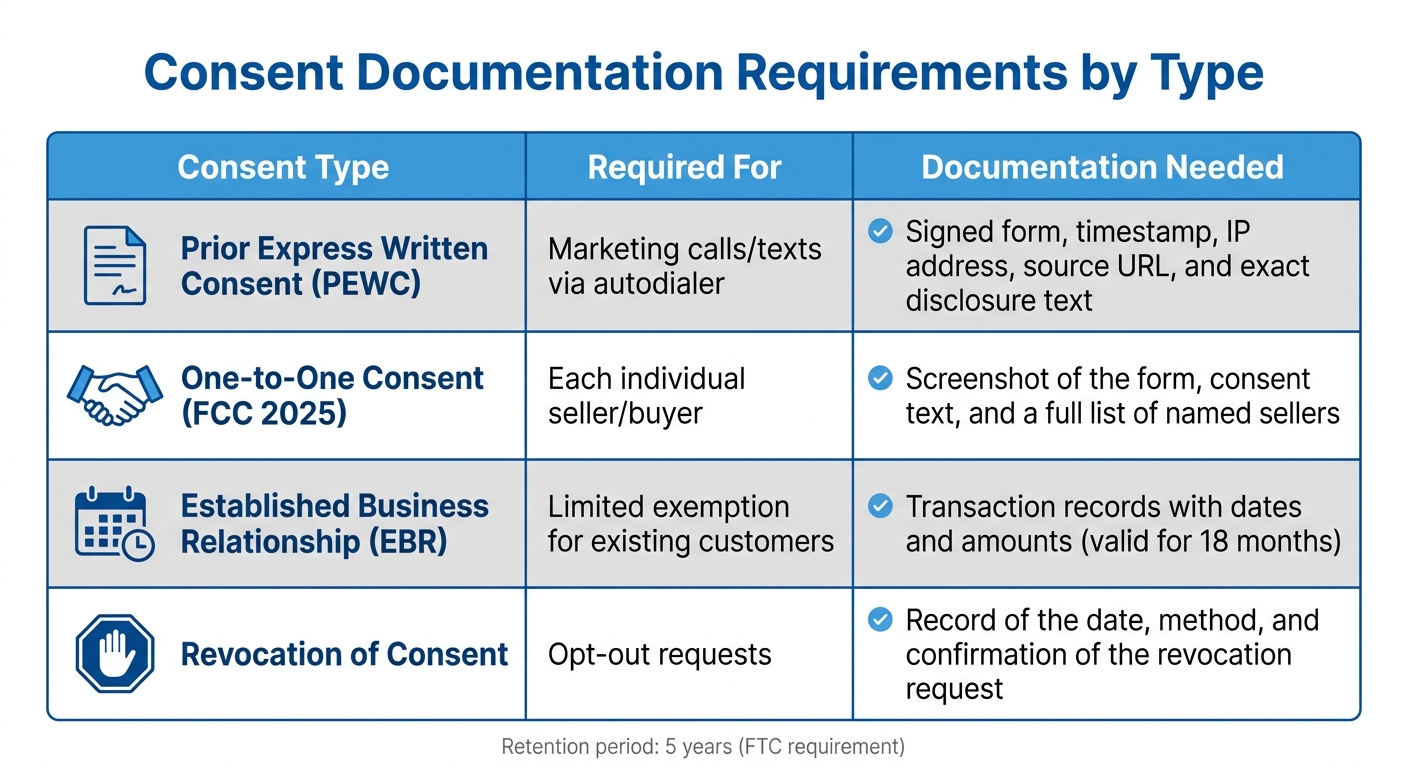
Consent Documentation Requirements by Type: PEWC, One-to-One, EBR, and Revocation
Managing consent within a CRM system requires a strong technical setup, including dedicated flag fields, secure storage for audits, and tools for self-service preferences. The difference between a reliable system and a potential compliance issue often hinges on automation. Let’s break down how to effectively collect, store, and manage consent.
How to Collect Consent
Collecting consent needs to be smooth and consistent across various touchpoints like web forms, email opt-ins, mobile prompts, phone calls, and live events. Importantly, consent must involve an affirmative action from the customer – pre-checked boxes are not acceptable under GDPR or TCPA regulations [1]. The process must ensure users actively demonstrate their agreement.
The clarity of the disclosure text is just as important as the consent mechanism itself. For example, under the FCC’s one-to-one consent rule (effective January 27, 2025), your business must be explicitly named in the consent language [4]. Vague terms like "marketing partners" or "third-party sellers" no longer suffice. If your company is "Acme Solar", the consent form must specifically mention "Acme Solar."
For phone-based consent, the Telemarketing Sales Rule (TSR) now requires keeping records for five years, up from the previous two-year standard [4]. This means your CRM must capture and store the exact disclosure text, along with a timestamp and proof of affirmative agreement (like a signature or checkbox). Missing any of these elements could lead to fines as high as $50,120 per violation [7].
Storing Consent Records and Maintaining Logs
Storing consent data isn’t as simple as recording a "yes" or "no" in your database. To meet compliance standards, records must include an immutable audit trail that documents what was agreed to and when. Using field history tracking in your CRM can help capture the who, what, when, and where of every consent action [11].
Key metadata must be stored to ensure the records can hold up under scrutiny. For example, many organizations integrate third-party consent certificates, such as TrustedForm URLs, directly into CRM records [4]. To prevent tampering, some companies use external storage solutions that lock records in a tamper-proof format [7][11].
| Consent Type | Required For | Documentation Needed |
|---|---|---|
| Prior Express Written Consent (PEWC) | Marketing calls/texts via autodialer | Signed form, timestamp, IP address, source URL, and exact disclosure text [10] |
| One-to-One Consent (FCC 2025) | Each individual seller/buyer | Screenshot of the form, consent text, and a full list of named sellers [10] |
| Established Business Relationship (EBR) | Limited exemption for existing customers | Transaction records with dates and amounts (valid for 18 months) [10] |
| Revocation of Consent | Opt-out requests | Record of the date, method, and confirmation of the revocation request [4][3] |
Building Preference Management Tools
Consent management focuses on legal permissions, while preference management centers on customer choices, such as how often they want to hear from you, what kind of content they prefer, and through which channels (email, SMS, etc.) [1]. Modern CRMs now include self-service tools like preference centers, allowing customers to update their settings without contacting support. For example, Salesforce Preference Manager offers no-code forms that let users adjust their opt-ins for various channels and purposes, such as promotions or product updates [13].
For customers without portal logins, unique access tokens can be included in URLs, giving them an easy way to view and update their preferences [13].
Real-time updates are critical for maintaining trust. Consent revocation requests must be processed within 10 business days [4]. Automated workflows in your CRM should ensure that opt-outs are reflected across all systems immediately. As Benjamin Farrar, Director of Privacy, Security, and Compliance at ActiveProspect, explains:
"Consumers can now withdraw their consent through any reasonable means – whether by call, text, email, or postal mail." [4]
This means your preference center must support multiple input methods and update records instantly to stay compliant and customer-friendly.
How to Implement Consent Management in Your CRM
Bringing consent management into your CRM involves connecting various systems, ensuring data is accurate, and automating updates to avoid compliance issues.
Syncing Consent Data Across All Channels
Consent data needs to move smoothly across multiple channels – like web forms, email campaigns, mobile apps, and CRM systems. A practical approach is to track consent at the contact point level. This means permissions are tied to specific email addresses or phone numbers, not just the overall contact. For example, a user might agree to receive email newsletters but decline SMS promotions [15].
In November 2024, Relay Network shared a guide for syncing TCPA consent from Salesforce Person Accounts. Their method used a Record-Triggered Flow on the Account object, which monitored the custom field HasConsentedToSMS__c. Whenever this field changed, a formula converted the boolean value into "Express" or "Stop." This triggered an action to update the external platform in real time [17].
To save time and cut costs, use differential writes – only updating records that have changed [16]. Webhooks and fast APIs can also push consent updates to other tools, with some platforms processing changes in under 100 milliseconds [19]. Keeping consent data consistent across systems is just as important as syncing it.
Keeping Consent Data Consistent
After syncing, it’s critical to maintain consistency across platforms. Mismatched consent records can lead to compliance risks. Imagine a customer opting out on one platform while your CRM still shows consent – this could result in unwanted communication and a potential violation. As DataLumis by eMudhra explains:
"Consent decisions are only valuable if every system in your stack respects them" [19].
To avoid such issues, establish deterministic conflict resolution rules. One common method is "last-writer-wins", where the most recent update takes priority. Alternatively, prioritize product-native states over manual CRM edits [16]. When syncing between your CRM and an external system, use a unique source field or "Reason Description" to identify automated updates and prevent endless sync loops [18].
Before adding new consent records, check if one already exists by querying for the specific email and purpose combination [18]. Liam O’Connor, Senior Commerce Editor, advises:
"Keep the CRM as an actioning layer, not as the primary source of truth for preferences" [16].
These rules help ensure automated updates are accurate and timely.
Automating Consent Updates in Real Time
Manual updates can leave gaps in compliance. Automated workflows make sure that when someone withdraws consent, every connected system is updated immediately. In February 2025, Mike Morris, a Salesforce-certified consultant at Sercante, shared a strategy for automating consent records in Marketing Cloud Growth. His approach used a Record-Triggered Flow with a 1-minute delay to manage external API callouts. This delay ensured reliable data delivery without overwhelming external APIs [14].
For precise record matching, Morris recommended creating a unique Communication Subscription Consent Id. This ID combines the email address and channel type ID, separated by a "#" [14]. Real-time automation also supports different enforcement models:
- Restrictive: Only sends messages to contacts with explicit opt-ins.
- Non-restrictive: Sends messages to all contacts unless they’ve opted out.
- Disabled: Ignores consent checks entirely [15].
Automated workflows that apply these models consistently reduce errors and help maintain compliance.
Platforms like CRM Copilot.AI make it easier to integrate these consent management processes into your CRM. They offer automated updates and ensure data accuracy, helping you streamline compliance efforts.
| Integration Component | Technical Method | Purpose |
|---|---|---|
| Real-Time Sync | Webhooks / APIs | Instantly pushes consent changes from external apps to the CRM [17]. |
| Automated Updates | Record-Triggered Flows | Updates CRM records when specific fields change [14][17]. |
| Data Mapping | Formula Resources | Converts boolean values into platform-specific consent formats [17]. |
| Audit Trail | Consent Data Model | Logs timestamps, capture methods, and evidence to support real-time automation. |
How to Communicate Consent Requests Clearly
Building trust starts with clear communication. When users know exactly what they’re agreeing to, they’re more likely to feel confident engaging with your brand. Consent requests should be easy to understand and free from confusing legal jargon.
Writing Clear Consent Requests
Consent forms need to be visible and easy to read. Avoid hiding them in small print or obscure locations [8]. The key is to use plain, straightforward language that anyone can follow. As ActiveCampaign puts it:
"Organizations must present data processing details in clear, concise language" [20].
Your consent request should include specific details. For example, under the FCC’s 2025 "one-to-one" rule, you must clearly identify your business in the consent language so users know exactly who will contact them [7][4]. Be transparent about the contact methods you’ll use, whether it’s autodialed calls, text messages, or AI-generated voices. If AI technology is involved, you’ll need to explicitly disclose this starting in February 2024 [8][4].
It’s also important to clarify that consent isn’t required to make a purchase [8]. Use unchecked boxes by default, ensuring users take deliberate action to give consent [8]. To protect yourself legally, store a timestamped screenshot or archived version of the form exactly as the user saw it [7].
Benjamin Farrar, Director of Privacy, Security, and Compliance at ActiveProspect, highlights the regulatory shift:
"The update continues to move away from generic lead and consent forms, emphasizing the need for content that aligns closely with the context of the outreach, reducing surprises for consumers receiving calls or texts" [4].
By tailoring consent requests to your audience and staying aligned with regulations, you can build trust while meeting compliance standards.
Customizing Consent Forms for Different Audiences
One size doesn’t fit all when it comes to consent forms. Granular opt-ins are more effective than a single, all-encompassing checkbox. Instead of one box for “all communications,” offer separate checkboxes for specific options like SMS alerts, email newsletters, or promotional offers [21][20].
You’ll also need to adapt your forms to meet jurisdictional requirements. For instance, GDPR mandates affirmative opt-ins, while CCPA focuses on opt-out rights [1][20]. To stay compliant, design your forms with the most restrictive applicable law in mind. Use "flag fields" in your CRM to track the type of consent obtained – whether for one-to-one communication, AI-voice disclosure, or informational purposes [4].
Clear consent practices not only meet legal expectations but also streamline your CRM’s workflows. Tools for preference management let users fine-tune their experience beyond basic legal consent. While consent management ensures you have permission to process data, preference management allows users to control how often they hear from you or what topics they’re updated on, like sales versus product launches [1]. Salesforce underscores the importance of this approach:
"Trust forms the foundation of successful customer relationships. When customers both understand how their data is used and can control it, they develop stronger loyalty to your brand" [1].
Make it just as simple for users to withdraw consent as it is to give it. Self-service portals can help users opt out quickly, and companies are required to process revocation requests within 10 business days [4]. Offering this level of transparency and control not only minimizes complaints but also helps build lasting customer loyalty.
Managing User Preferences and Staying Compliant
Effective preference management goes hand in hand with consent collection and storage. Beyond just meeting legal requirements, it’s about ensuring users have control over their data while maintaining detailed records to meet compliance standards. This includes managing audit trails and handling access requests seamlessly.
Letting Users Change or Withdraw Consent
Giving users the ability to update or withdraw their consent should be straightforward. Self-service preference centers are a key tool for this, allowing individuals to manage their communication preferences – everything from how often they’re contacted to what type of content they receive (e.g., newsletters, product updates) and through which channels (SMS, email, push notifications) [1][15].
Modern CRM systems often go a step further, offering granular consent options. For instance, a user might opt out of "Daily Deals" under the broader category of "Commercial Communication" but still choose to receive essential updates about their account [15].
In addition to empowering users, a robust CRM must ensure compliance with legal requirements for consent revocation. Under updated FCC guidelines, businesses must accept revocation requests through any reasonable method – whether it’s a phone call, email, text, or even postal mail [4]. Self-service tools should instantly log opt-out requests to prevent further communications, with all systems updating in real time. Revocations must be fully processed and completed within 10 business days [4][15][12].
Some businesses send a final confirmation text to verify the intent to revoke consent. Once confirmed, all further communications must stop [4].
Handling Audits and Data Access Requests
Regulatory audits demand proof that every consent was obtained and documented correctly. A capable CRM should maintain detailed audit trails, capturing the who, what, when, where, and how of every consent action [1][6][11]. This includes timestamps, the method of capture, the scope of consent, and evidence that the agreement was informed and voluntary [1].
Recent changes from the FTC have extended the required retention period for consent records from two years to five years [4]. This means your CRM must store not only current preferences but also a complete history of any changes. Records should be immutable, ensuring they remain unaltered during audits [6][11].
For data access requests, automation is critical. Many modern CRMs now include automated privacy centers to handle tasks like "right to be forgotten" and data portability requests efficiently [1][11]. This automation minimizes errors and ensures compliance with legal deadlines. For regulations like CCPA, it’s also crucial to verify the identity of individuals making requests through Verifiable Consumer Requests (VCRs) before sharing sensitive data [6].
To streamline your processes, store consent documentation directly within your CRM. For example, use a flag field to indicate consent status for each lead [4]. If you rely on third-party consent services like TrustedForm Certificates, save the certificate URL in the CRM record. This makes it easy to retrieve documentation during audits and filter leads for marketing campaigns [4].
Here’s a quick comparison to highlight the differences between consent and preference management:
| Feature | Consent Management | Preference Management |
|---|---|---|
| Primary Focus | Legal permissions and regulatory compliance (e.g., GDPR, CCPA) | Enhancing customer experience through communication choices |
| Key Data Points | Timestamps, legal basis, method of capture, evidence | Frequency, content categories, preferred channels |
| Requirement | Legally mandated in most cases | Optional, but improves engagement |
| Action Example | Opting into data processing for marketing purposes | Selecting "Monthly Newsletter" instead of "Weekly Updates" |
Regularly auditing your processes can help identify compliance gaps before they lead to penalties. As privacy laws evolve, it’s essential to revisit older records and ensure they meet new standards. Some regulations may even apply retroactively, so staying proactive can save your business from unexpected liabilities [4][6].
Conclusion
Managing consent effectively is essential for building customer trust and ensuring smooth CRM operations. When customers clearly understand how their data is being used and are given control over it, they are more likely to stay loyal to your brand [1]. The stakes couldn’t be higher: a staggering 87% of consumers would cut ties with a company that shares sensitive data without their permission [6].
Beyond trust, regulatory compliance is non-negotiable. Penalties for violations are steep – FCC fines can hit up to $23,727 per infraction, while FTC penalties can soar to $50,120 per incident [22]. Non-compliance isn’t just costly; it can also damage your reputation. On the flip side, proper consent management can save time by reducing complaints and regulatory headaches. It also empowers marketing teams to create more targeted campaigns using verified permissions.
To avoid penalties and improve processes, it’s critical to audit your systems now. Collaborate with your Marketing, IT, and System Administration teams to identify every point where data is collected. Use CRM tools to flag consent statuses for each lead and store consent documentation, such as TrustedForm URLs, directly in CRM records for easy access during audits [4]. Ensure your data retention and revocation policies meet current regulatory standards [4].
"Trust forms the foundation of successful customer relationships. When customers both understand how their data is used and can control it, they develop stronger loyalty to your brand." – Salesforce [1]
Transparent and customer-focused consent practices are no longer optional – they’re the new baseline. Companies that embrace privacy-first strategies are not only better prepared for future regulatory shifts but also more likely to build lasting trust that drives growth. Now is the time to act: prioritize compliance and strengthen customer relationships through effective consent management.
For a more streamlined approach, tools like CRM Copilot.AI (https://crmcopilot.ai) provide centralized, automated solutions for managing consent while maintaining tamper-proof records of customer permissions.
FAQs
What fields should I add to my CRM to track consent accurately?
To keep track of consent effectively in your CRM, consider adding the following fields:
- Consent Status: Shows whether consent is active, withdrawn, or awaiting confirmation.
- Consent Date: Logs the exact date when consent was granted.
- Consent Method: Details how consent was obtained, such as through an online form or a phone call.
- Consent Type: Identifies the specific purpose, like marketing or data sharing.
- Opt-in/Opt-out Flags: Reflects clear preferences for participation.
- Legal Basis: Records the lawful reason for collecting consent.
- Consent Source: Indicates where the consent originated, such as a website or email campaign.
Including these fields not only helps with staying compliant but also makes managing consent straightforward and reliable.
How do I prove consent during an audit?
To demonstrate consent during an audit, it’s crucial to keep thorough records of how consent was collected. This can include signed forms, electronic opt-ins, timestamps, and the specific disclosures presented at the time of consent. Regularly reviewing these records and using automated tools to check for accuracy ensures they stay current and reliable. Maintaining proper documentation not only verifies compliance with regulations but also shows that consent was obtained in the correct manner.
How can I stop messages instantly when someone opts out?
To ensure messages stop immediately after someone opts out, it’s crucial that your CRM or messaging system captures the opt-out signal and updates the contact’s consent status instantly. Set up workflows to automatically pause all messaging when keywords like "STOP" or "Opt-out" are detected. This approach not only ensures compliance but also respects user preferences by halting communication without delay.