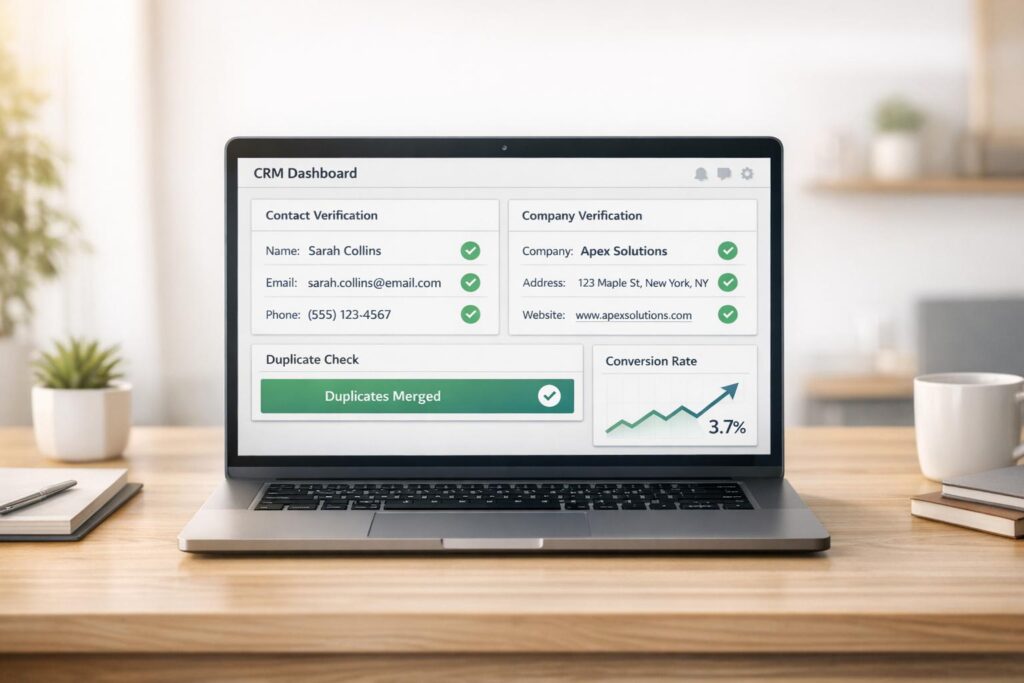
AI-driven real-time verification helps sales teams ensure accurate contact details, reduce manual tasks, and improve conversion rates. By instantly validating emails, phone numbers, and professional data, these systems prevent bad data from entering CRMs, saving time and boosting productivity. Key benefits include:
- Improved data accuracy: Prevent invalid records in CRMs, addressing issues like outdated emails or disconnected numbers.
- Time savings: Automates tasks like data entry and lead enrichment, freeing up 12 hours per week for sales reps.
- Higher conversions: Accurate data enables personalized outreach, reducing email bounce rates and improving engagement.
- Key metrics to monitor: Email deliverability (95%+), phone connect rates (15–25%), and data freshness (60%+ within 90 days).
To implement, clean up your CRM, integrate AI tools, and set up multi-layered validation workflows. Regular re-verification ensures data stays current, supporting better sales outcomes. Platforms like CRM Copilot.AI provide scalable solutions with real-time verification, LinkedIn updates, and CRM integration starting at $55/month.
AI-Driven Sales Verification: Key Metrics and ROI Statistics
Benefits of Real-Time Data Verification for Sales Teams
Improving Lead Accuracy and Reliability
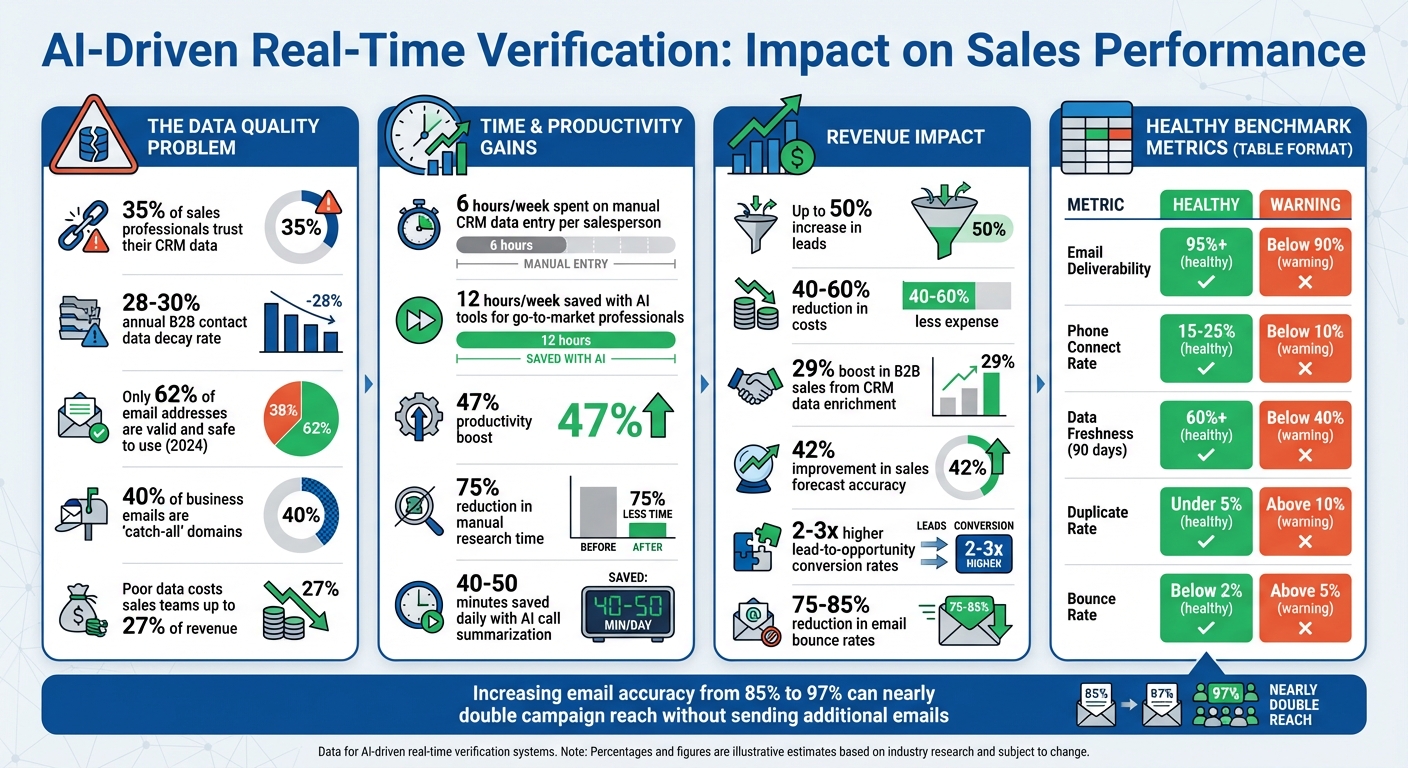
Real-time verification helps weed out invalid emails and phone numbers on the spot through multi-layered checks. Why does this matter? Because only 35% of sales professionals trust their CRM data[6]. Plus, B2B contact information isn’t static – it decays at an annual rate of 28% to 30%[5][6]. Without verification, your CRM can turn into a cluttered mess of outdated and unusable records, wasting valuable time. Here’s a staggering stat: in 2024, only 62% of email addresses checked were valid and safe to use[5]. That means nearly 4 out of 10 contacts in an unverified list could lead to dead ends. Catching these issues early prevents bad data from piling up, making your sales efforts far more efficient.
Reducing Manual Work in Sales Processes
Manual CRM data entry eats up a lot of time – 6 hours per week per salesperson, to be exact[6]. Real-time AI verification can cut this down significantly by automating tasks like activity logging, contact enrichment, and record updates. When paired with tools like Google Workspace or Microsoft 365, these systems automatically keep contact records up to date[6].
Here’s the kicker: AI tools don’t just save time – they save a lot of it. On average, they free up 12 hours per week for go-to-market professionals and boost productivity by 47%[3]. Real-time enrichment can slash manual research time by 75%[6], letting sales reps spend more time engaging with clients instead of drowning in data entry. Companies that use AI in sales have reported up to a 50% increase in leads and 40–60% reductions in costs[7]. The result? A smoother workflow that keeps the focus where it belongs – on closing deals.
Increasing Conversion Rates
When your data is accurate and enriched, your outreach can hit the mark. Real-time verification ensures that sales teams have the right details – like a prospect’s role, industry, or company situation – to craft personalized messages. This level of precision helps avoid mistakes, such as addressing someone with an outdated job title, which can quickly erode trust.
The payoff is huge. CRM data enrichment has been shown to boost B2B sales by up to 29%[6] and improve sales forecast accuracy by 42%[6]. High-performing teams aim to keep email bounce rates under 2% (ideally hitting 1%) to maintain domain health[5]. Verified data ensures your emails land in the right inbox, avoiding bounces and spam folders. This not only protects your sender reputation but also drives better conversion rates, making every outreach effort count.
sbb-itb-0ae5139
Validating Outbound Sales Lead Email and Phone with AI | Part 2 of AI Sales Cadence Series
Critical Data Points to Verify in Real-Time
Focusing on the right data fields is crucial for driving outreach success. These key data points, when verified in real time, ensure that every lead entering your CRM is ready for conversion.
Email Addresses and Deliverability
Real-time email verification goes beyond just checking if an address follows the correct format – it confirms if the mailbox actually exists. This step is essential for preventing email bounces and safeguarding your sender reputation.
In some industries, 40% of business emails are "catch-all" domains[9]. These domains accept all addresses during verification but may later reject messages. AI-based verification tools assign risk scores to such domains for more precise results[10].
"Catch-all domains are the silent killer of email campaigns. They accept every address at SMTP check time, so traditional verification marks them ‘valid.’ But many of those addresses do not exist." – Cleanlist Team[10]
Why does this matter? Increasing your email accuracy from 85% to 97% can nearly double your campaign’s reach without sending additional emails[9]. To maintain a good sender reputation, keep your bounce rate under 2% and aim for a deliverability rate of 95% or higher[5][8][11]. Falling below 90% signals deeper data quality issues that could harm your standing with ISPs.
While email accuracy is critical, ensuring valid and reachable phone numbers is equally important for effective outreach.
Phone Numbers and Accessibility
Phone number verification ensures your team isn’t wasting time on disconnected lines, reassigned numbers, or fax machines. Real-time checks confirm whether a number is active, reachable, and whether it’s a mobile or landline. This matters because your connect rate – the percentage of calls that reach a live person – directly affects how many conversations your team can have daily.
A healthy phone connect rate ranges between 15% and 25%[8]. If it drops below 10%, your team is likely spending too much time dialing invalid numbers. Verifying phone numbers during lead capture stops bad data from entering your CRM. For SMS campaigns, knowing whether a number is mobile or landline is critical – sending texts to landlines wastes credits and skews your metrics.
Company Domains and Employment Status
People change jobs, and businesses constantly evolve. Verifying company domains helps ensure your leads are still associated with active organizations, not defunct companies or redirected URLs.
Real-time monitoring tracks signals like job postings, funding announcements, and corporate restructuring news[8][12]. If a lead has switched companies or been promoted, you’ll know before sending an email to their old role. This proactive approach avoids awkward missteps and keeps your outreach relevant. Poor data can cost sales teams up to 27% of their revenue[10], making early detection of changes a financial priority.
In addition to company verification, understanding a lead’s role is essential for routing them correctly.
Job Titles and Decision-Making Authority
Job titles can be misleading. A "VP of Sales" at one company might be a mid-level manager, while a "Head of Revenue" at another could be a top executive. AI-driven tools use semantic analysis to standardize title variations[10]. This ensures your lead scoring and routing processes function smoothly – high-value prospects are directed to senior reps, while junior contacts receive appropriate follow-up.
Without this normalization, your CRM can become cluttered with inconsistent titles, making it harder to prioritize leads effectively. AI tools can consolidate variations like "VP Sales", "Vice President of Sales", and "Sales VP" into a single, standardized role, then assess the authority level for better accuracy.
Once roles are verified, the next step is to validate professional profiles for deeper insights.
LinkedIn URLs and Professional Profiles
LinkedIn often has the most up-to-date information on a prospect’s role, company, and professional history[12]. Real-time verification ensures that changes, such as job updates, are captured as soon as they’re made. Verified LinkedIn URLs allow AI tools to pull professional signals, like recent posts or shared articles, that can reveal pain points or buying intent.
This level of detail enables highly personalized outreach at scale. Instead of relying on generic templates, your team can reference specifics like a recent promotion, a company milestone, or a challenge mentioned in a LinkedIn comment. Doing this manually would take hours per lead – time few teams can spare.
| Metric | Healthy Benchmark | Warning Sign |
|---|---|---|
| Email Deliverability | 95%+ | Below 90% |
| Phone Connect Rate | 15–25% | Below 10% |
| Data Freshness (90 days) | 60%+ | Below 40% |
| Duplicate Rate | Under 5% | Above 10% |
How to Implement AI Verification Workflows
Putting AI verification into action means creating a system that filters out bad data right from the start. The goal? Set up multiple checkpoints that work together, starting the moment a lead is captured and continuing until it reaches your sales team.
Before diving into new tools, take a moment to clean up your existing CRM data. Believe it or not, about 40% of CRM-AI projects fail because teams try to add AI on top of messy data – think duplicate entries, inconsistent company names, and outdated records [13]. Start by deduplicating contacts, standardizing naming conventions, and merging older records. This step prevents inefficiencies that could derail your efforts.
"Garbage-in-garbage-out is not a cliche – it’s the primary failure mode for AI CRM integrations."
- John V. Akgul, Founder & CEO, PxlPeak [13]
Once your CRM is in good shape, you can focus on integrating AI tools. You’ve got two main options: native marketplace apps for easy setup or custom middleware for more flexibility. For example, Salesforce Einstein costs around $75 per user per month, while custom API-based solutions can range from $100 to $330 monthly for a team [13].
Connect AI Tools with Your CRM Platform
The first step in integration is linking your AI verification tool to your CRM using OAuth or API tokens. Platforms like CRM Copilot.AI offer native integrations with major CRMs like Salesforce, Zoho, and HubSpot. This eliminates the need for manual uploads and ensures real-time data syncing. Webhooks can also be used to trigger immediate verification as soon as a new record is created.
Next, map AI outputs to specific CRM fields. For instance, you might create custom fields like ai_fit_score, ai_outreach_angle, or verification_status. These fields make it easy for your team to filter, report, and route leads based on AI-generated insights.
| CRM Platform | Integration Method | Key AI Capabilities |
|---|---|---|
| Salesforce | Native App / Apex / Flow | Einstein AI, custom field mapping, task automation |
| HubSpot | Webhooks / Operations Hub | Custom property triggers, automated lead routing |
| Pipedrive | REST API / n8n Nodes | Field standardization, automated activity creation |
| Zoho | Native Zia / API | Lead scoring, anomaly detection, sentiment analysis |
To further enhance your system, connect your AI tool to Google Workspace or Microsoft 365. This allows the tool to automatically scan emails and calendar invites, updating or creating contact records as conversations progress.
Set Up Multiple Validation Layers
One verification check isn’t enough. Strengthen your system by adding multiple validation layers. For instance, use tools to block invalid emails from entering your CRM. For phone numbers, HLR (Home Location Register) lookups can confirm whether a number is active and identify if it’s a mobile, landline, or VoIP number.
Add a gatekeeper layer to block invalid contacts from syncing with your CRM. Configure your tools to verify leads during import or as they’re pulled into campaigns. Some verification systems use a credit-based model, charging around 0.25 credits per email to flag typos, spam traps, and catch-all domains. AI can also assign risk scores to catch-all domains, helping you adjust your email strategy to protect your sender reputation.
Automate Lead Enrichment and Scoring
Once verification is complete, let AI enrich your leads with predictive scoring. AI can gather details like company size, technology stacks, hiring trends, and behavioral signals to create a complete profile for each lead. This goes beyond traditional scoring by identifying growth indicators such as recent funding, job postings, or new technology adoption – key signs of buying intent.
Set up event-driven enrichment triggers for actions like new contact creation, job changes, or funding announcements [6]. For example, if a lead’s LinkedIn profile shows a promotion to VP of Sales, your AI tool can update their title, adjust their lead score, and assign a high-priority task to your sales rep. This kind of automation can save 8–12 hours of manual work each week [6].
AI can also analyze call transcripts, meeting notes, and emails to extract critical insights, such as pain points or next steps. These insights can be automatically added to CRM fields, giving your team the context they need without extra effort. AI call summarization alone can save sales reps 40 to 50 minutes daily [13].
Finally, schedule automated deduplication and re-verification every 3 to 6 months to combat data decay. Regular updates ensure that stale records are flagged and reviewed before they affect your outreach. These automated processes ensure your sales team has access to high-quality, actionable leads at all times.
Best Practices for Maintaining Data Quality
Maintaining high-quality data is an ongoing effort. Even with AI verification as a starting point, data can quickly become outdated. For example, about 30% of B2B contact records become obsolete annually due to job changes and company shifts [14]. Without a structured plan, your CRM can fill up with outdated information, wasting your team’s time and lowering conversion rates.
Track Job Changes and Contact Updates
Job changes are a major factor in data inaccuracy, especially in industries like tech and startups, where roles shift frequently. To combat this, set re-verification schedules based on industry patterns – monthly for tech contacts and quarterly for healthcare or manufacturing leads [1].
AI tools can help by pulling updates from reliable sources like LinkedIn and company websites. Purchased lists, by contrast, often lag behind [1]. Advanced verification systems use multiple layers to validate data thoroughly. For example, phone numbers can be checked for activity using HLR lookups [1].
When discrepancies arise – such as conflicting job titles between LinkedIn and a company website – route these cases to your SDRs via platforms like Slack or Microsoft Teams for manual review [1][2]. This "human-in-the-loop" approach ensures errors don’t creep into your CRM.
"SDRs stop trusting the data after they call three wrong numbers in a row, and that trust is hard to win back." – Bitscale [15]
These updates, paired with regular data audits, help keep your database accurate and actionable.
Identify and Update Outdated Records
Regular audits are essential, as up to 34% of job titles can become outdated over time [15]. Look for duplicates, incomplete fields, and records with no activity in over 90 days [4].
Automated deduplication tools with fuzzy matching algorithms can identify variations like "IBM" versus "International Business Machines" [14][15]. When merging duplicates, prioritize the most recent activity. Also, remove records tied to hard email bounces, opt-outs, or those that show no engagement for over two years [14].
Adopt a tiered approach for refreshing records based on their importance. For example:
- Update active pipeline contacts and MQLs monthly.
- Review target accounts quarterly.
- Audit cold nurture databases every 6 to 12 months [15].
To protect manually verified data, create "Rep Verified" fields for confirmed phone numbers or emails. This prevents automated tools from overwriting trusted information [15].
Track these key metrics to monitor progress:
| Metric | What It Measures | Target |
|---|---|---|
| Record completeness rate | Percentage of records with all required fields | 90% or higher [4] |
| Duplicate rate | Percentage of duplicate records | Below 3% [4] |
| Bounce rate | Percentage of emails bouncing | Below 2% [4] |
| Field accuracy rate | Percentage of key fields verified as accurate | 95% or higher [4] |
Use CRM Copilot.AI Features to Optimize Workflows
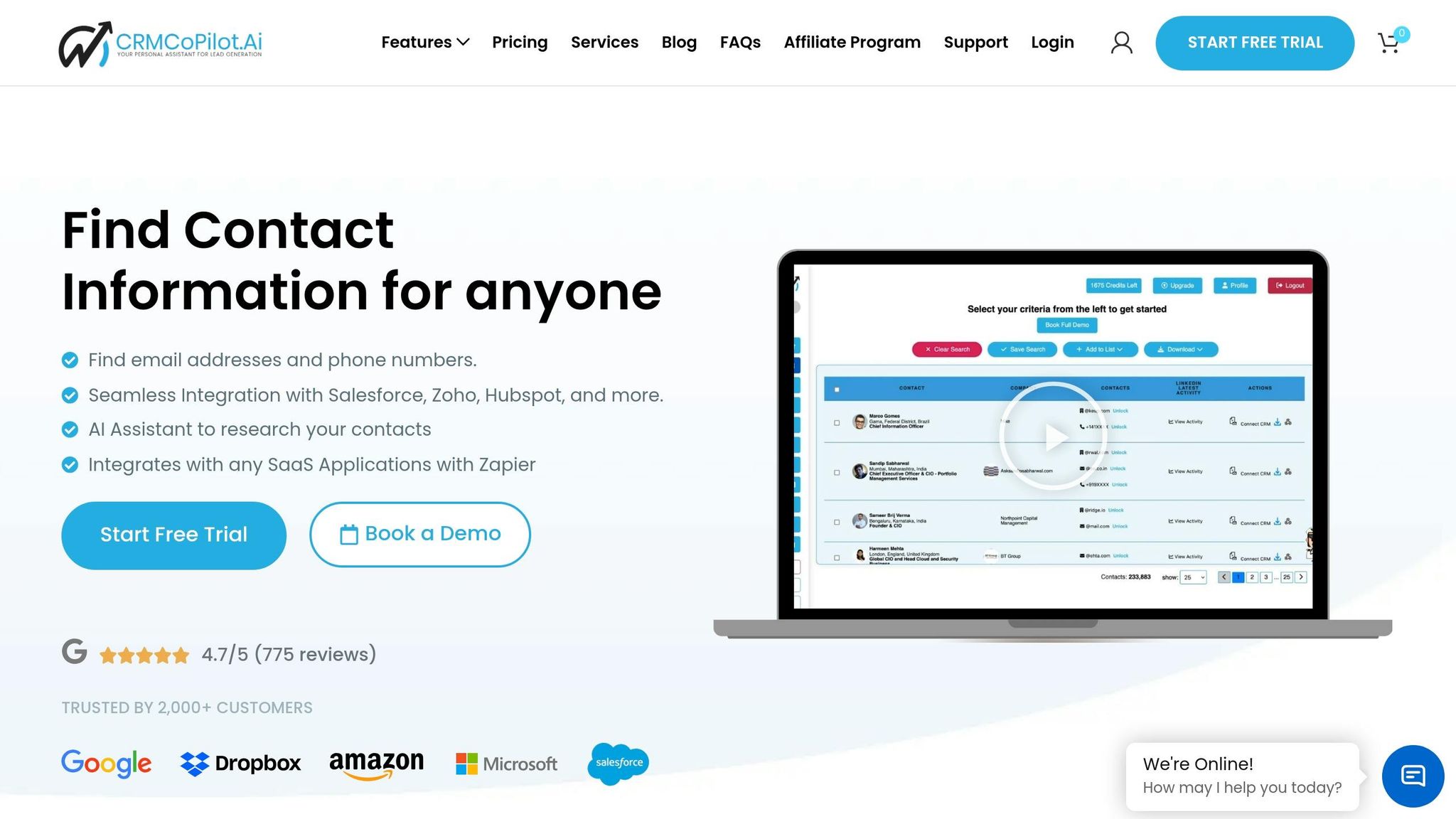
To maintain data quality, tools like CRM Copilot.AI can automate many of these processes. This platform integrates real-time verification with automated enrichment, ensuring only accurate data enters your CRM [1]. It performs real-time checks on email deliverability and phone connectivity as leads are captured and updates records with essential business details.
The LinkedIn Smart Crawl feature is particularly useful, as it continuously monitors profile changes. When a prospect changes roles or gets promoted, your CRM is updated automatically. Multi-channel engagement tools also allow outreach via email and LinkedIn, with built-in tracking to determine the most effective channels. These features integrate with popular CRMs like Salesforce, Zoho, and HubSpot.
Here’s a breakdown of CRM Copilot.AI’s pricing plans:
| Plan | Price | Email Credits/Year | Phone Credits/Year | Key Features |
|---|---|---|---|---|
| Free | $0/month | 240 | 0 | Basic search filters |
| Silver | $55/month | 1,800 | 150 | Advanced filters |
| Gold | $95/month | 3,600 | 240 | CRM integration, LinkedIn Smart Crawl |
| Platinum | $250/month (annual) | 7,200 | 480 | Full automation, AI-driven workflows |
The Gold and Platinum plans also include automated re-verification cycles. These flag outdated records and trigger enrichment when contacts change roles. This automation can save your team around 12 hours of manual data work each week [3], ensuring SDRs always have up-to-date information before reaching out.
Conclusion
AI-driven real-time verification has become a game-changer for sales teams striving to maintain an edge in a competitive market. With B2B contact data deteriorating at a rate of 22.5% annually and poor-quality data costing teams up to 27% of their potential revenue [10], relying on manual processes just isn’t practical anymore. Companies that adopt AI verification tools report impressive results, including 2–3x higher lead-to-opportunity conversion rates and email bounce rates slashed by 75–85% [10].
Another key advantage is time savings. By automating tasks like data entry, lead research, and email validation, AI allows sales teams to spend more time where it counts – closing deals. On average, teams using AI tools save around 12 hours per week [3].
"Teams who use AI like a teammate for sales reps (instead of a tool or replacement) will see the biggest impacts on deals and productivity." – Gartner [3]
To fully leverage AI, think of verification as more than just a tool – treat it as a workflow overhaul [2]. Start by blocking bad data from entering your CRM, standardizing job titles to improve lead scoring, and implementing automated routing rules based on lead quality. Adjust your reverification schedule to align with your industry’s needs – monthly for fast-paced sectors like tech and quarterly for industries such as manufacturing.
Platforms like CRM Copilot.AI bring all these features together seamlessly. With real-time verification, LinkedIn Smart Crawl to track job changes, and integrations with Salesforce, Zoho, and HubSpot, it provides a comprehensive solution. Whether you choose the Gold plan at $95/month for CRM integration and automation or the Platinum plan at $250/month (billed annually) for full AI-driven capabilities, you’re investing in a system that evolves with your business. Over time, it learns from your closed-won deals to refine scoring models, ensuring even more accurate results. By adopting these practices, your team can stay agile and drive sustained growth.
FAQs
How do I set up real-time verification without disrupting my CRM?
Integrate an AI-powered verification tool into your CRM to keep your data accurate and up-to-date. Tools like CRM Copilot.AI can automatically verify and filter out invalid or outdated information before it’s added or updated in your system. By setting up this integration to run checks in the background, you can maintain data accuracy without disrupting your workflows. This approach ensures your CRM stays efficient and reliable, all without requiring manual intervention.
What data fields should I verify first for the biggest impact?
Start by double-checking email addresses and phone numbers. Getting these details right can make a big difference in qualifying leads and improving your overall sales process. When contact information is accurate, reaching out to leads becomes more reliable, which means smoother communication and a more efficient sales workflow.
How often should I re-verify contacts to prevent data decay?
To keep your data accurate and up-to-date, it’s important to re-verify your contacts every 3 to 6 months. B2B contact information tends to degrade at an annual rate of 25–35%, so regular updates are crucial to maintaining efficient and effective sales processes.